Most guides to website development in South Africa are written to rank, not to help. They open with a definition of HTML, pad out two thousand words of generalities, and never answer the two questions you actually arrived with: what should this cost, and how do I avoid paying for something that does not work.
This guide answers both. It is written from the work we do at CliqWorx, so it reflects what South African businesses actually pay and actually receive.
Key takeaways
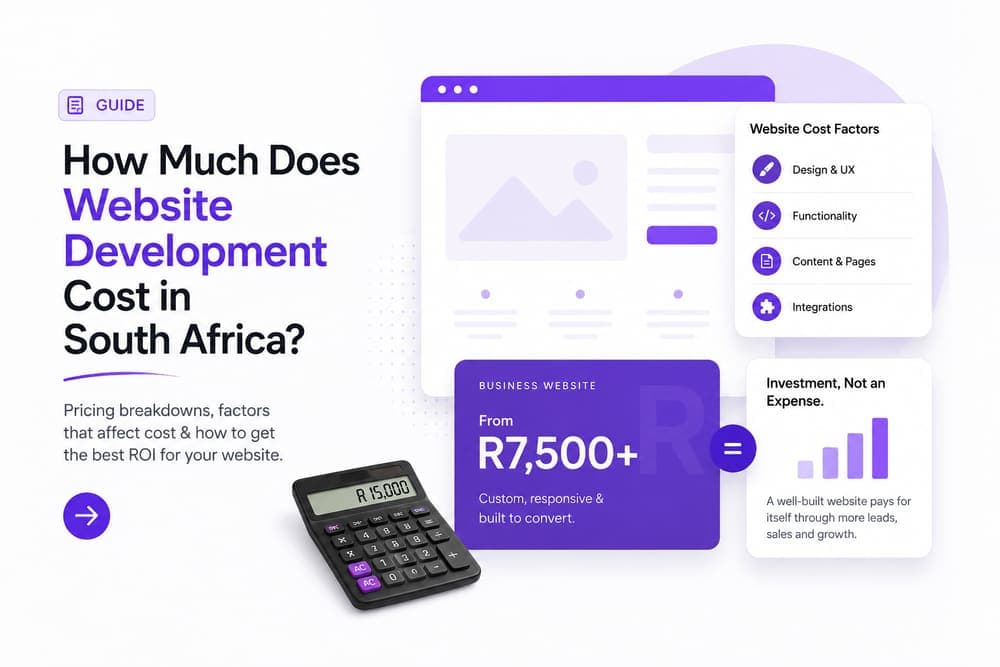
- A landing page starts around R1,999, a business website around R4,999 and an online store around R7,999. Anything far below that is usually a template with your logo dropped on it.
- Price is driven by page count, custom functionality and who writes the copy. Design is rarely the expensive part.
- A standard business site can genuinely be live in about seven days, but only if your content is ready before the build starts.
- Own your domain, your hosting account and your content. If you cannot log in to all three, you do not own your website.
What website development actually covers
People use "website design" and "website development" interchangeably, and that confusion is where a lot of bad quotes come from. They are different jobs.
Design decides what the site looks like and how someone moves through it: layout, typography, hierarchy, the path from landing on a page to making an enquiry. Development is the build. It turns that into working code that loads quickly, behaves correctly on a phone, handles forms and payments, and can be understood by Google.
A quote covering only one of the two is not a website, it is half a project. When you compare prices, check which half you are being sold. Our own website development service covers both, which is why we quote a single fixed price rather than splitting the two.
The four kinds of build, and what each costs
Almost every request we receive falls into one of four categories. Knowing which one you need is the fastest way to sanity-check a quote.
Landing page
One page, one goal
- A single focused page
- Built around one conversion action
- Contact or enquiry form
- Live in about 7 days
Business website
The common choice
- Multiple pages: services, about, contact
- Content structure built for search
- Analytics and tracking connected
- Live in about 7 days
Online store
Selling products
- Product catalogue and categories
- Payment gateway integration
- Shipping and delivery rules
- Typically 2 to 4 weeks
Custom web applications sit outside this table. If the software has to do something specific to your business, a booking engine, a client portal, a quoting tool, it needs a scoping conversation before anyone can honestly put a number on it. Be sceptical of a fixed price offered for custom software before anyone has asked what it must do.
If you are not yet sure a custom build is the right answer at all, read what digital strategy actually is first. The common and expensive mistake is building software to solve a problem that actually sits somewhere else in the business.
What actually moves the price
Three things, in this order.
Page count and content structure. Ten pages cost more than three, but not proportionally. The expensive part is the thinking about how those pages relate to each other and which one should rank for what.
Custom functionality. A contact form is standard. A form that checks stock, takes a deposit and books a slot in your calendar is software, and it is priced like software.
Who writes the copy. This is the most underestimated line item on any quote. If you supply finished copy the build is faster and cheaper. If the agency writes it, that is a separate professional skill and it should appear on the quote. A build that stalls for six weeks is almost always waiting on content.
How long a build really takes
Seven days is a real timeline for a landing page or a standard business site, and we hold to it, but the clock only starts when the content is ready.
Day 1: the brief
A short call about what you sell, who buys it and what a lead is worth. This is where the structure of the site gets decided.
Days 2 to 4: the build
Design and development run together. You see working pages, not slide mockups.
Day 5: your review
You go through it and mark what needs to change. One consolidated round of feedback, not a trickle over two weeks.
Days 6 to 7: launch
Changes applied, domain pointed, analytics and tracking connected, then live.
Online stores take longer because products, payment gateways and shipping rules each need testing with real transactions. Anyone promising a full store in seven days is either counting on you supplying a perfect product spreadsheet, or is planning to skip the testing.
Choosing a platform
There is no universally correct answer, only a correct answer for your situation.
| Shopify | WordPress | Custom build | |
|---|---|---|---|
| Best at | Selling products | Publishing content | Speed and custom logic |
| Setup speed | Fast | Fast | Slower |
| Monthly platform fee | |||
| Needs ongoing updates | |||
| Ceiling on customisation | Medium | Medium | None |
The practical rule: pick the platform that matches the site's main job. A shop belongs on a commerce platform. A publisher belongs on a content platform. A business whose site mainly has to load fast, rank and convert is usually best on a modern framework built for exactly that.
What "SEO-ready" should actually mean
This phrase appears on every agency's website and usually means nothing. Ask for specifics. A genuinely SEO-ready build has:
- One clear H1 per page and a logical heading order beneath it
- Page titles and meta descriptions written per page, not auto-generated
- Schema markup so Google can interpret what the page is about
- Clean, readable URLs
- Images served in modern formats at the size they are actually displayed
- A sitemap and correct robots directives
It should also pass Core Web Vitals, Google's published thresholds for loading, interactivity and visual stability. Those are a confirmed ranking signal. A build that ignores them is not SEO-ready no matter what the proposal claims. The same goes for structured data: without it, Google has to guess what your pages are about.
- Ask to see Core Web Vitals scores before you sign off on launch
- Check the site on your own phone, on mobile data, not on office wifi
- Confirm analytics is installed and actually recording before launch day
- Make sure every page has a title and description written for it
The questions to ask before you sign
- Who registers the domain, and in whose name?
- Do I get admin access to hosting, the CMS and analytics?
- Is copywriting included, or am I supplying it?
- How many rounds of revisions are included?
- What happens after launch, and what does support cost?
- Can you show me a site you built that is still live and still fast?
That last one matters most. Portfolios are easy to fake with mockups. Ask for a live URL, then open it on your phone and see how it feels.
Once the site is live, the next question is how people find it. If you are weighing paid traffic, we have written separately on what performance marketing costs in South Africa.
Want a straight answer on your build?
Tell us what the site needs to do. We will tell you what it should cost, how long it will take, and whether you actually need what you think you need.
Get a fixed-price quote